Introduction
Advanced driver assistance systems generate diagnostic trouble codes (DTCs) when sensors or control modules detect faults. These codes help technicians identify problems quickly, but understanding and addressing them requires more than just reading numbers on a screen. This article highlights common ADAS-related DTCs, explains what they mean and offers practical guidance on resolving them.
Understanding ADAS DTCs
Diagnostic trouble codes follow a standardized format: one letter followed by four digits. The letter indicates the system family—P for powertrain, B for body, C for chassis and U for network communication. Many ADAS issues fall under B‑ and U‑ codes because cameras, radar and LiDAR sensors are integrated into body and network systems. Manufacturers also add proprietary subcodes for specific components.
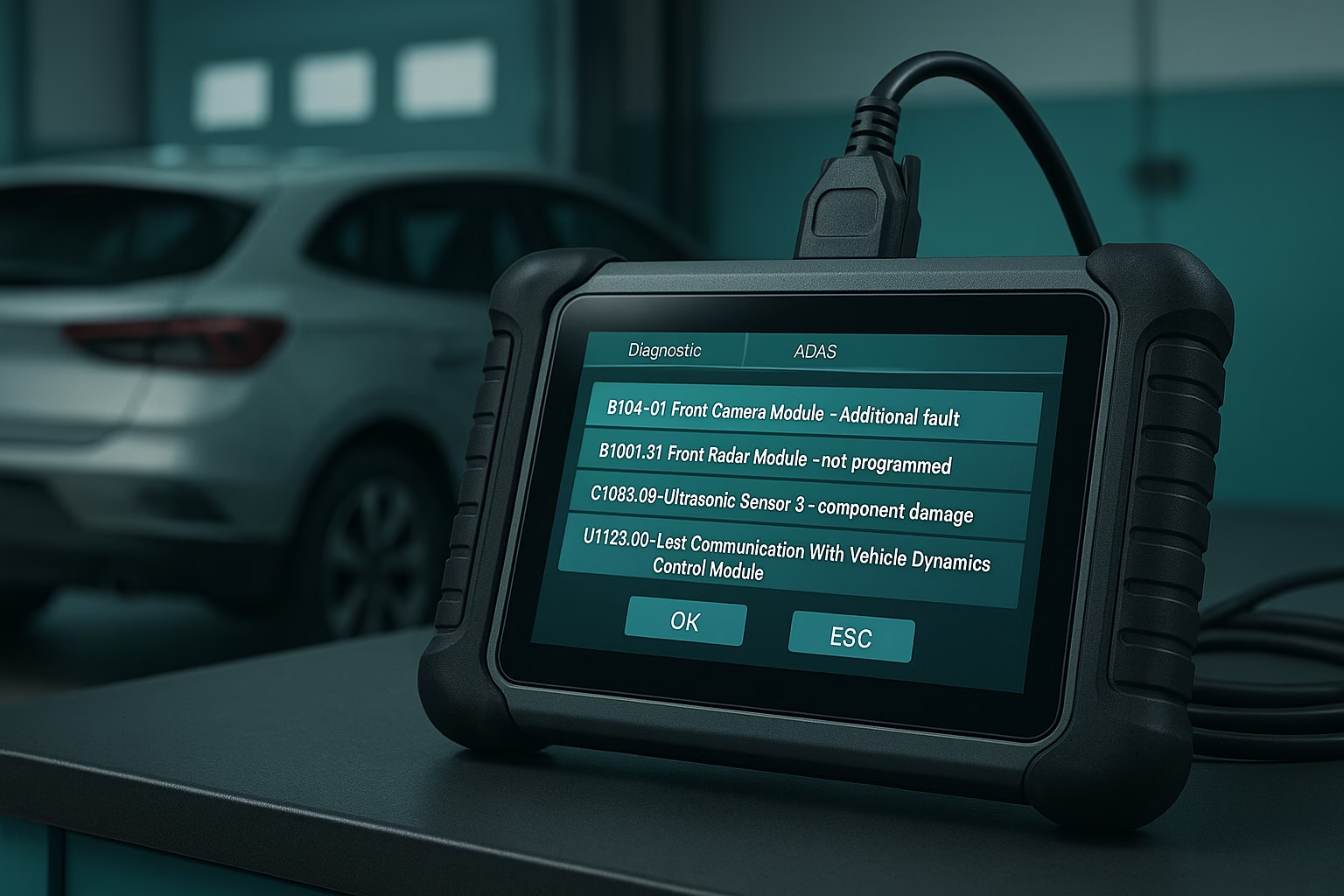
A scan tool retrieves codes and descriptions, but they’re only the starting point. For example, a “Front Radar Module – not programmed” code could indicate a newly installed radar unit that hasn’t been initialised, an interrupted software update or a wiring issue. Always consult service manuals for precise definitions and recommended diagnostic steps.
Common ADAS DTCs and How to Address Them
Front Camera Obstruction or Misalignment (e.g., B1040, C1103)
Front cameras monitor lane markings, road signs and vehicles ahead. Codes indicating “front camera module additional fault” or “camera misalignment” often arise from:
- Dirty or obstructed windscreen – Clean the glass and ensure aftermarket accessories (dash cams, stickers) aren’t blocking the view.
- Improper windshield replacement – If a windshield has been replaced without recalibrating the camera, realign it using manufacturer targets and procedures.
- Loose mounting – Check that the camera bracket is secure and that there are no damaged clips or fasteners.
After correcting physical causes, perform a static or dynamic calibration as required. Clear the codes and verify system operation during a road test.
Radar Sensor Misalignment or Blockage (e.g., B1001, C1107)
Radar sensors enable adaptive cruise control and automatic emergency braking. Fault codes may point to issues such as “front radar module not programmed” or “radar sensor misaligned.” Causes include:
- Impact damage – Even minor collisions or bumper replacements can knock radar modules out of alignment. Inspect the mounting and use a calibration rig to realign.
- Cosmetic repairs – Paint or aftermarket grille inserts can attenuate radar signals. Ensure the front fascia matches original specifications and contains no metallic or reflective wraps.
- Software mismatch – Replacement modules may require programming to pair with the vehicle. Use the scan tool to program and update firmware.
After repairs, perform dynamic testing to ensure the vehicle maintains a safe following distance and responds appropriately to obstacles.
Ultrasonic Sensor Faults (e.g., C1083)
Ultrasonic sensors support parking assist and blind spot warnings. A code such as “ultrasonic sensor component damage” can be traced to:
- Physical damage – Sensors mounted in bumpers are susceptible to scratches or water ingress. Inspect wiring and housings for corrosion or cracks. Replace damaged sensors.
- Incorrect installation – After repairing body panels, ensure sensors are flush and oriented correctly. Misalignment can cause false readings.
- Dirt and debris – Clean sensors with a soft cloth. Even a thin film of road grime can affect range.
Clear codes, test parking assist functionality and recalibrate if necessary.
Network Communication Errors (e.g., U1123)
U‑codes relate to communication between modules. “Lost communication with vehicle dynamics control module” may result from:
- Broken wiring or loose connectors – Trace harnesses and reseat plugs. Corrosion at connector pins can disrupt signals.
- Low battery voltage – ADAS modules are sensitive to voltage dips; check the charging system and battery health.
- Software corruption – Perform a software reset or reflash modules using approved diagnostic equipment.
After fixing communication issues, clear codes and monitor data streams to confirm stable operation.
Using a Scan Tool Effectively
Modern scan tools can read and clear codes, display live data and guide technicians through calibrations. Choose a tool compatible with the vehicle’s make and year. Keep software up‑to‑date to access the latest DTC definitions. When a code appears, record it before clearing; this helps if the fault is intermittent. Use the tool’s freeze‑frame data to see conditions when the fault occurred (speed, steering angle, temperature). Compare readings from redundant sensors to identify outliers.
Best Practices for Troubleshooting
- Perform a thorough visual inspection first – Many issues stem from obvious damage or dirt.
- Verify preconditions – Some calibrations require the vehicle to be at ride height, tyres inflated and the fuel tank full.
- Follow manufacturer procedures – Generic fixes can lead to poor results. Use factory service information.
- Document each step – Recording codes, repairs and calibrations builds a history that aids future diagnostics.
Summary
Understanding diagnostic trouble codes is essential for maintaining safe and reliable ADAS systems. Codes offer clues but not complete answers; technicians must interpret them, inspect components and follow proper calibration procedures. Common issues include camera obstructions, radar misalignment, ultrasonic sensor damage and network communication faults. With careful diagnostics, adherence to manufacturer guidance and disciplined documentation, you can resolve these problems quickly and keep advanced safety systems functioning properly.

Hiran Alwis is an automotive lecturer and ADAS specialist with over 15 years of experience in diagnostics, advanced safety systems, and technical training. He founded ADAS Project to help everyday drivers and workshop technicians understand and safely use advanced driver assistance systems.