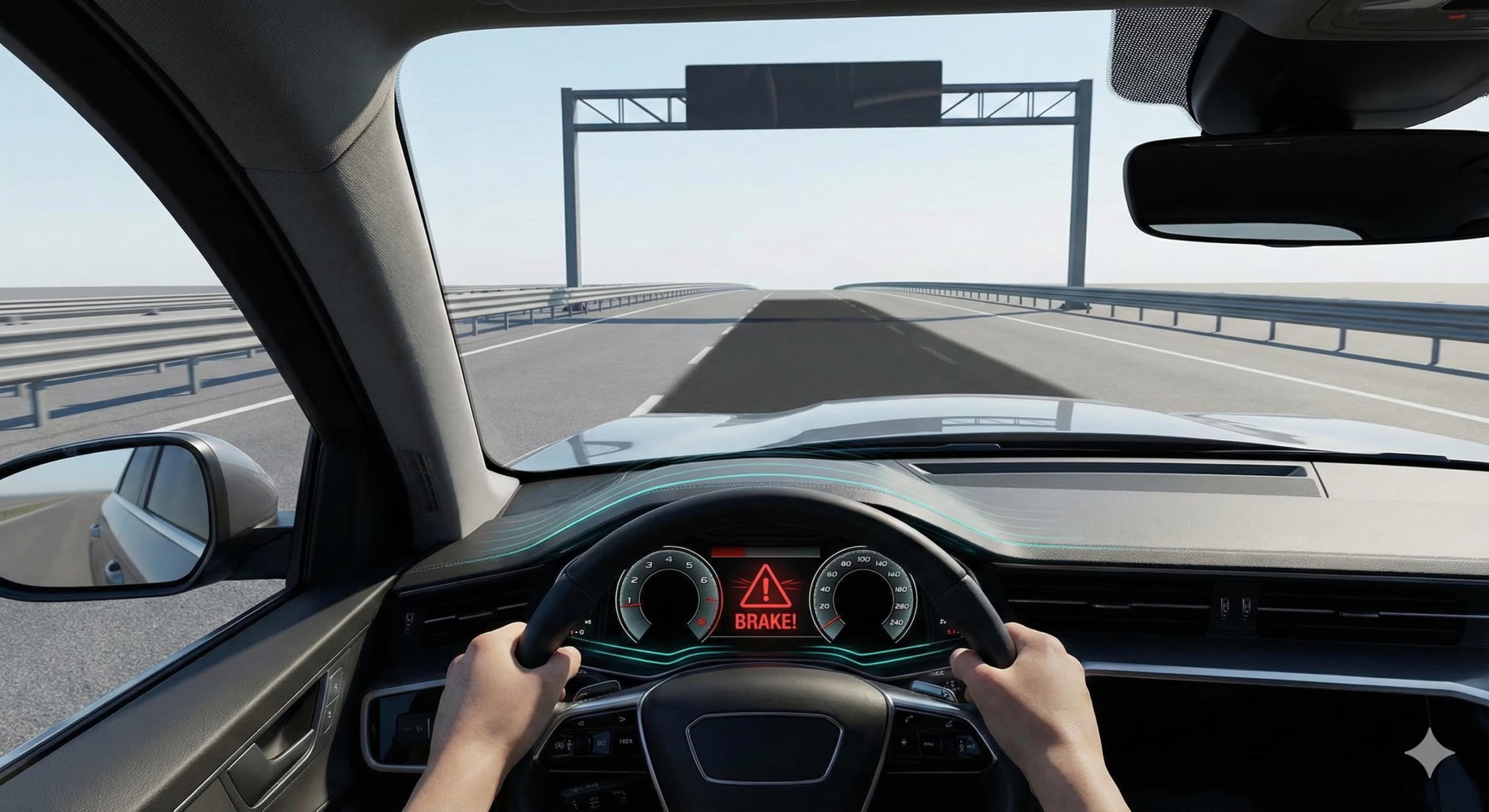
It’s a calm drive on an open highway. The road ahead is clear, the weather is fine, and your cruise control is set. Suddenly, without warning, your car slams on the brakes. The seatbelt locks, your heart jumps into your throat, and the person behind you nearly rear-ends you.
You look around in panic. There was no other car. No pedestrian. No animal. Just an empty road.
This terrifying experience is known in the automotive world as “phantom braking.” It is one of the most common, and most frightening, complaints about modern Advanced Driver Assistance Systems (ADAS). If it has happened to you, you are not alone. And more importantly, it doesn’t necessarily mean your car is broken.
Understanding why it happens is the key to regaining trust in your vehicle.
The Burden of Being a Computer
To understand phantom braking, you need to understand how your car “sees” the world. It doesn’t see like a human. It relies on a combination of sensors—primarily cameras and radar—to build a digital map of its surroundings.
The computer in charge of Automatic Emergency Braking (AEB) has a single, overriding directive: Do not hit anything.
It is programmed to be hyper-conservative. If there is even a 1% chance that an object ahead is a stopped vehicle or a pedestrian, the system will choose to brake rather than risk a collision. The engineers who design these systems would rather have 1,000 false alarms than one missed real accident.
Phantom braking occurs when the sensors provide conflicting or confusing data that tricks the computer into thinking a crash is imminent.
The Usual Suspects: What Tricks the Sensors?
Your car’s sensors are incredibly advanced, but they are not infallible. They can be fooled by environmental factors that a human driver would instantly dismiss.
1. The Radar “Ghost”
Radar sensors are fantastic at detecting metal objects and measuring speed. They send out radio waves and measure how long it takes for them to bounce back. However, they can sometimes be confused by large, stationary metal objects near the road.
- Overpasses and Bridges: As you approach a low bridge, the radar signal can bounce off the metal structure overhead. For a split second, the computer might misinterpret this as a stationary truck directly in your path.
- Metal Plates on the Road: Large steel plates used to cover roadworks can give a strong radar return that looks like a low-lying obstacle.
- Guardrails on Curves: When going around a sharp bend, the radar might briefly point directly at the metal guardrail on the side of the road, interpreting it as a stopped car ahead of you.
2. The Camera’s Optical Illusions
The front-facing camera, located behind your rearview mirror, relies on visual contrast to identify lane lines, vehicles, and pedestrians. It can be tricked by lighting and shadows.
- Harsh Shadows: A sharp, dark shadow cast by a bridge or a tree across a bright road can sometimes be interpreted by the camera as a physical object or a vehicle.
- Sun Glare: Driving directly into a low sun at dawn or dusk can temporarily blind the camera, causing the system to panic and disengage or brake.
- Tar Snakes and Road Seams: Dark lines of tar used to seal cracks in the road can sometimes look like lane markings or, in rare cases, small obstacles to the camera’s software.
3. Sensor Confusion
Sometimes, it’s a simple case of the sensors being unable to see clearly. Heavy rain, dense fog, or snow sticking to the front of the car can block the radar or obscure the camera’s view. While the system should display a “Sensor Blocked” message and disable itself, it sometimes tries to interpret the messy data first, leading to a false braking event.
What Should You Do When It Happens?
The most important thing is to remain calm and maintain control of the vehicle.
- Override the System: Your inputs always take priority over the computer. If the car starts braking unexpectedly, immediately press the accelerator pedal firmly. This tells the system, “I am in control, and I want to keep going.” The braking should stop instantly.
- Check Your Surroundings: Once you are back up to speed, scan the area. Was there an overpass? A large metal sign? A patch of weird lighting? Trying to identify the trigger can help you anticipate it next time.
- Report It: If it happens repeatedly in the same spot or under similar conditions, report it to your dealership. Manufacturers release software updates that improve the system’s logic and reduce false positives. Your report adds to the data they use to make those fixes.
- Clean Your Sensors: Ensure your windscreen is clean in front of the camera, and that the radar sensor in the grille is free of mud, snow, or heavy dirt buildup. A dirty sensor is a confused sensor.
A Final Thought on Trust
Phantom braking is a frustrating quirk of rapidly evolving technology. It’s a reminder that while these systems are powerful safety nets, they are not autopilots. They are driver assist systems.
You, the human driver, are still the best sensor in the car. Stay alert, keep your foot near the pedals, and remember that you are the ultimate authority behind the wheel.

Hiran Alwis is an automotive lecturer and ADAS specialist with over 15 years of experience in diagnostics, advanced safety systems, and technical training. He founded ADAS Project to help everyday drivers and workshop technicians understand and safely use advanced driver assistance systems.